Apollo Group TV Support: 11 Ways to Get the Right Help Faster
Published October 5, 2026Updated October 5, 2026By Robert M.
apollo group tv support works best when the problem arrives already sorted. A message such as “Apollo is broken” forces the support conversation to begin with basic discovery: which device, which application, whether the account is active, whether one channel or every channel is affected, and whether the issue is installation, login, playback, or billing. A much stronger request starts with the failure category and includes only the evidence needed to investigate it.
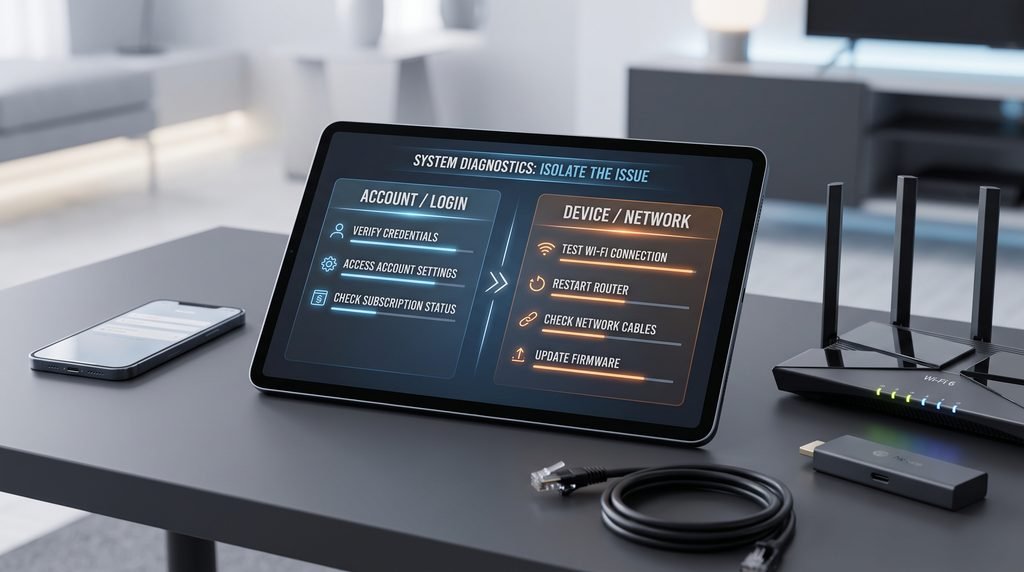
That is the purpose of this guide. Instead of treating apollo group tv support as a giant troubleshooting manual, it works like a triage desk. First you decide which layer failed. Then you perform one or two controlled checks that can separate a local device problem from an account or service problem. Finally, if the issue still requires help, you send a short case summary that gives support something useful to act on without exposing passwords, payment details, or other sensitive information.
The distinction matters because not every problem belongs with apollo group tv support. Basic installation questions may already be covered by the service’s setup guide, channel availability can be checked against the current channel list, and plan questions can often be answered through current pricing information. Support becomes most useful when a problem is account-specific, persistent, unclear after basic testing, or appears across multiple devices or parts of the service.
Table of Contents
Apollo Group TV Support Starts With Three Decisions
Before you contact apollo group tv support, answer three questions in order. First, what is the first stage that fails? Second, can one simple comparison test narrow the cause? Third, does the remaining problem actually require account-specific help? This structure prevents installation, account, device, network, and content problems from being mixed into one report.
The first question is about scope. If an app will not install, the failure exists before login. If the app opens but rejects known credentials, the failure is authentication. If login succeeds but every stream freezes, the issue belongs to playback. If one channel fails while twenty others work, the scope is much smaller. apollo group tv support can respond more effectively when the first broken layer is obvious.
First thing that fails
Likely support lane
Best first check
App will not install
Installation/device
Device compatibility, storage, setup instructions
Login is rejected
Account/authentication
Credentials and subscription status
Subscription appears expired
Account/billing
Plan dates and purchase information
Everything buffers
Playback/network/service
Another channel, app, device, or connection
One channel is missing
Content
Search categories and current channel list
Channel plays but guide is blank
EPG
Refresh guide and verify time settings
Only one device fails
Device/player
Compare the same account elsewhere
The third question saves time. A basic setup step does not always need apollo group tv support, while an active account that suddenly becomes invalid may. The goal is not to avoid support; it is to arrive there after removing the easy possibilities so the conversation can focus on the part that genuinely needs assistance.
Classify the Failure by the First Thing That Stopped Working
People often describe the final symptom rather than the first failure. For example, “I cannot watch anything” could mean the application never installed, the login is rejected, the subscription expired, the library does not load, or streams load and then freeze. Those outcomes may look identical from the sofa, but apollo group tv support needs to know where the chain breaks.
Start from the beginning of your normal viewing process and stop at the first abnormal step. Does the device itself work normally? Does the application launch? Does the account authenticate? Do categories appear? Does a live channel start? Does the problem affect one channel or many? This sequence creates a much cleaner report than changing settings first and trying to remember what happened afterward.
Add Scope and Persistence to the Diagnosis
Once you know the first failure, describe how broad and persistent it is. One unavailable channel for five minutes is different from every live category failing on two devices for an hour. A login problem that began immediately after first setup is different from credentials that worked for months and suddenly stopped. Those details help apollo group tv support distinguish an isolated stream, device configuration, account status issue, or wider service problem.
Build a Five-Minute Case File Before You Ask for Help
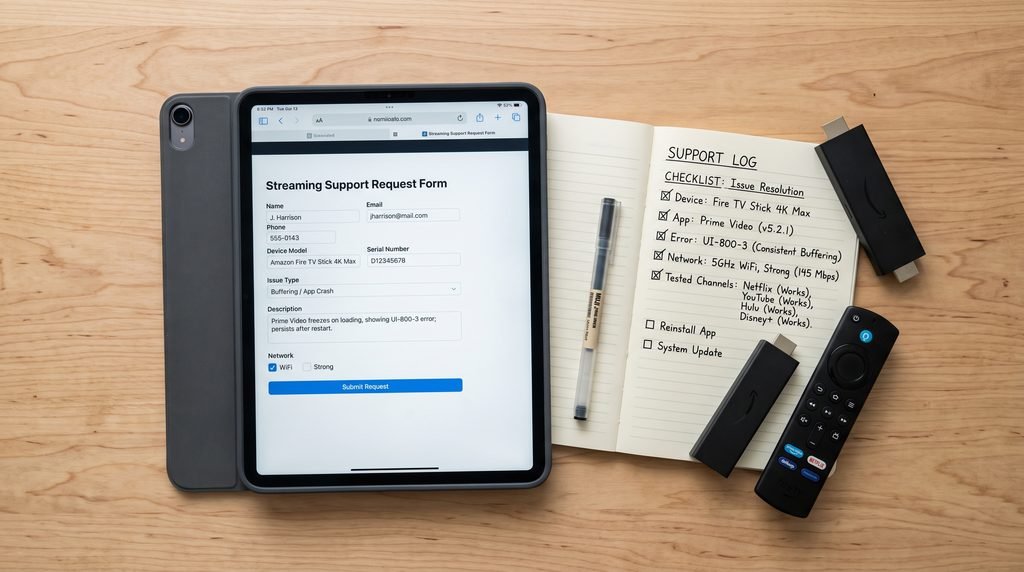
A good apollo group tv support request does not need a huge technical report. It needs a small set of facts that remove obvious questions. Record the device model, the streaming application or player, the exact error wording, whether the subscription should still be active, and when the problem began. If playback is involved, note whether you use Wi-Fi or Ethernet and whether the problem affects one channel, several channels, or everything.
Then perform only the comparisons that are relevant. Test another channel if one stream fails. Test another supported device if one device behaves strangely. Check another mainstream streaming application if every video buffers. A screenshot can help when it shows the error, but hide account credentials and other private information before sending it to the support team.
Device: exact model when known.
Player: application used for streaming.
Failure: exact error or behavior.
Scope: one channel, one category, or the whole service.
Account: whether the subscription should still be active.
Connection: Wi-Fi or Ethernet when playback is involved.
Comparison: whether another device, channel, or app behaves differently.
Timing: when the problem started and whether it repeats.
This is enough to turn apollo group tv support from a discovery conversation into a troubleshooting conversation. Do not include passwords, card details, banking credentials, or unrelated security information. The case file should explain the problem, not surrender control of the account.
Installation Problems Belong in the Device Lane First
If the application is not installed yet, start with the Apollo Group TV installation guide. Device-specific instructions are more useful than trying to describe every menu through a support chat. Firestick, Android TV, Samsung, LG, phones, and computers can use different installation methods, so make sure the instructions match the device before involving apollo group tv support.
A useful distinction is whether the app fails to install or installs successfully but fails afterward. If the application icon appears and the player opens, installation may already be complete. A credential error should then move to the login lane instead of triggering another reinstall. Likewise, if channels load but playback freezes, the problem has moved beyond installation. The support team needs the stage where failure begins, not the stage you happened to troubleshoot last.
Firestick Problems: Separate the Device From the Subscription
Fire TV problems can involve storage, application installation, system software, Wi-Fi, or general device performance. If the entire Firestick feels slow or other applications are also failing, the source points to Amazon Fire TV support resources for the device side. If the Firestick operates normally and only the Apollo account or streams fail, apollo group tv support becomes more relevant.
Login Problems Need an Authentication Report, Not a Full Device Reset
For a login problem, the most useful fact is whether the same credentials have ever worked. On a first-time setup, verify every character and make sure you are using the correct application and the streaming credentials intended for that player. If the same information worked previously and suddenly stopped, confirm subscription status before changing the entire device. That gives apollo group tv support a much clearer starting point.
Report the exact symptom. “Invalid credentials” is different from an endless loading screen. A successful login followed by empty categories is different again. If possible, test the same authorized account on another compatible device. When apollo group tv support knows that credentials fail everywhere despite an account that should be active, the account side becomes more important than the original television.
Never Turn a Login Problem Into a Credential Leak
Do not post your password in public comments, forums, Reddit threads, or screenshots. The source links to CISA phishing guidance as a useful reference when an unfamiliar person asks for account information through an unexpected link. Legitimate troubleshooting should not require publishing your complete streaming credentials.
If password recovery or account verification is needed, use the support route associated with the subscription. apollo group tv support can work with account identifiers and purchase information without requiring you to expose unrelated banking or email passwords. The safer request explains the authentication failure and lets the verified account process handle recovery.
Subscription Problems Need Dates and Account Context
Before opening a technical case for an account that suddenly stopped working, check whether the subscription period may have ended. An expired plan can look like an application problem because previously valid access may stop authenticating or loading content. Router resets and reinstalling the player do not extend a subscription, so apollo group tv support should receive the account timeline before technical troubleshooting begins.
Use the Apollo Group TV pricing page when you need to review current plan options. If the account should still be active, prepare the approximate purchase or renewal date, duration, and account identifier for apollo group tv support. The goal is to help locate the correct subscription record without sending passwords or full payment information.
Keep Renewal and Technical Troubleshooting in Separate Lanes
If the plan is expired, solve the subscription question first. If the plan is confirmed active but playback still fails, move to the technical lane. Combining renewal, device, network, and login questions into one long message makes the issue harder to follow. apollo group tv support can only act efficiently when the account status is clear.
Buffering and Freezing Need a Pattern, Not a Complaint
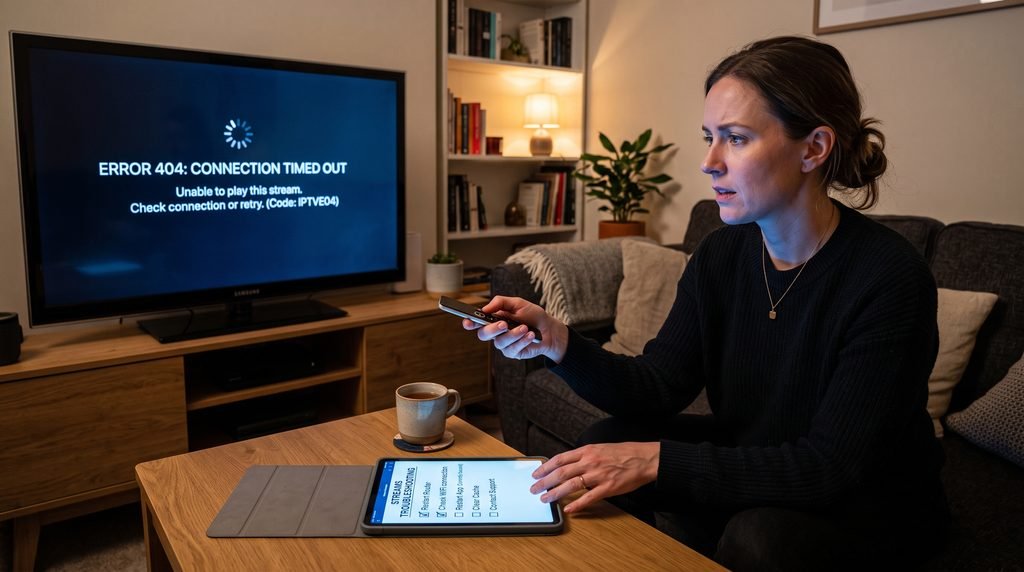
Buffering can originate from several places, so “everything freezes” is useful only after you confirm what “everything” means. Test several live channels and, if relevant, VOD. Then test another mainstream streaming application on the same device. If every video service struggles, the home network or device deserves attention before apollo group tv support investigates the subscription.
If mainstream apps work normally but Apollo playback fails across many channels, note whether the behavior changes between Wi-Fi and Ethernet, whether a VPN is enabled, whether the issue appears at a particular time, and whether another compatible device shows the same result. Those comparisons tell apollo group tv support much more than repeated messages reporting that the stream still buffers.
Playback pattern
What it suggests testing next
What to tell support
One channel fails
Other channels and categories
Exact channel name and time
All Apollo streams buffer
Other apps, network, second device
Connection type and comparison results
Only one device buffers
Device/player/storage
Device model and player
Two devices fail the same way
Account, network, or wider service
Both device results
Problem occurs at specific times
Repeat under another time/network condition
Approximate start and repeat pattern
Wi-Fi fails but Ethernet works
Local wireless network
That wired playback is stable
Do not change DNS, install another player, reset the router, enable a VPN, and clear app data all at once. Controlled tests are valuable because each result narrows the cause. If five variables change simultaneously, even a successful result gives the support team very little information about what fixed the problem.
Missing Channels and EPG Errors Need Content-Specific Evidence
Before reporting a channel as missing, search the current categories and compare the service information with the Apollo Group TV channel list. Large channel libraries can be organized by region or category, so a stream that is difficult to find is not necessarily absent. When apollo group tv support needs to investigate, provide the exact channel name rather than saying an entire category is missing unless you verified that.
EPG problems should be described separately from playback. If a channel plays normally but the program guide is blank, say that explicitly. If every guide entry is consistently shifted by one hour, check the streaming device’s timezone. If only a few channels have incorrect information, list those channels for apollo group tv support. The distinction between “video does not work” and “guide data does not work” immediately narrows the issue.
Use Exact Names Instead of Broad Categories
“Sports are missing” can mean hundreds of things. “Channel X no longer appears under the U.S. sports category, search returns no result, and other sports channels still work” is much more useful. The same applies to EPG. apollo group tv support can investigate a specific stream or mapping more easily than an undefined claim covering an entire library.
A Second Device Test Can Turn Guesswork Into Evidence
Testing the same authorized account on another compatible device is one of the highest-value checks you can perform before contacting apollo group tv support. If the account works on Device B while Device A fails on the same network, the service is clearly capable of authenticating and streaming under those conditions. Attention can move toward Device A, its application, or its local configuration.
The opposite result is useful too. If two different devices show the same login failure or the same widespread playback problem, a device-specific cause becomes less likely. If both fail on your home internet but work through another connection, the network difference matters. Tell apollo group tv support exactly what changed between the successful and unsuccessful tests.
Change One Variable at a Time
A controlled test works because the comparison has meaning. Keep the account and network the same while changing the device, or keep the device and account the same while changing the connection. If you change the account, player, device, VPN, DNS, and Wi-Fi at once, you lose the ability to identify the cause. Good evidence makes apollo group tv support faster because it removes entire categories of possibilities.
Turn the Evidence Into One Useful Support Message
The best apollo group tv support message is short enough to scan and specific enough to diagnose. Start with the problem in one sentence. Then identify the device and player, describe the exact error or behavior, and summarize the two or three tests you already completed. If the account or subscription is relevant, include a non-sensitive identifier and the expected account status.
For example, a strong buffering report would explain that the account logs in successfully on a Firestick, all live channels begin buffering after a few seconds, other mainstream streaming applications work normally, the issue occurs over both Wi-Fi and Ethernet, and the same Apollo behavior appears on a second supported device. That gives apollo group tv support a much narrower problem than “Apollo keeps freezing.”
Use the Same Four-Part Order Every Time
Problem: state the exact failure in one sentence.
Environment: identify the device, player, and relevant connection type.
Evidence: explain what else works, what else fails, and which comparison tests were completed.
Request: ask for the account, stream, or service issue you need apollo group tv support to check.
Do not bury the failure under a long story about every setting you have ever changed. If a screenshot helps, hide passwords, payment data, and unrelated personal information. The purpose of the message is to hand the support team a clean case, not to provide unrestricted access to your account.
Know When to Wait, Retest, or Escalate
Not every isolated stream interruption requires an immediate apollo group tv support case. If one channel stops for a few minutes while other channels and VOD work normally, switch away and return later. A temporary source problem can be narrower than the account or service. Likewise, one brief buffering event does not necessarily justify reinstalling an application or reporting a widespread outage.
Escalation becomes more reasonable when the problem is persistent, affects several unrelated streams, prevents login, appears across multiple devices, or involves account information that does not match the subscription you purchased. The combination of scope and persistence matters more than frustration alone. apollo group tv support is most useful when there is a repeatable problem to investigate.
Situation
Best move
One channel briefly unavailable
Use another channel and retest later
One app crashes once
Restart the app/device and observe
Repeated login rejection on active account
Prepare authentication evidence and contact support
Many channels fail across two devices
Escalate with device and network comparison results
Subscription information does not match purchase
Contact support with order details
Installation question already documented
Use the setup guide first
If the issue is installation-specific, the current installation guide remains the better first resource. If the question is simply which channels are listed, use the current channel information. If you need to compare plans, use the current pricing information. This keeps apollo group tv support focused on cases that genuinely require support.
Recognize Suspicious “Support” Before You Share Anything
A popular service name can attract impersonation pages and people claiming they can repair accounts. Do not assume a phone number, email address, Telegram profile, social account, or payment page is legitimate simply because it contains the Apollo name. Initiate apollo group tv support through a contact path you can connect to the website, account information, or subscription source you actually used.
The source points to the FTC’s consumer scam guidance for general information about impersonation and payment scams. Be especially cautious when someone contacts you unexpectedly, asks for your password, pushes an urgent payment, requests remote access without a clear reason, sends an unfamiliar login page, asks for gift cards, or tells you to ignore the normal account route.
The Safer Pattern Is User-Initiated Support
When you start the support conversation through a route you already verified, you reduce the chance of responding to an impersonator. Even then, share only information relevant to the case. apollo group tv support may need a general account identifier, purchase timing, device information, or an error screenshot, but unrelated banking credentials and primary email passwords do not belong in a normal streaming support case.
A Good Support Outcome Should Clarify Ownership of the Problem
Support does not always “fix” the problem directly. Sometimes the most useful outcome is identifying which layer owns it. apollo group tv support may determine that an account needs attention, that a specific stream should be checked, that the subscription status is wrong, or that the problem appears local to a device or network. A clear diagnosis prevents you from repeating unrelated fixes.
If the problem is local, you can act on that information. A Firestick with low storage belongs in the device lane. Weak Wi-Fi belongs in the network lane. A blank guide with working video belongs in the EPG lane. Credentials rejected across compatible devices on an active account belong much closer to apollo group tv support. The goal is to leave the conversation knowing what to do next and why.
Frequently Asked Questions About Apollo Group TV Support
How Should I Contact Apollo Group TV Support?
Use a contact method that you can verify through the website, account information, purchase record, or subscription source you originally used. Avoid random phone numbers or social profiles found through general search results. Before contacting apollo group tv support, identify the failure category and prepare the device, application, exact error, account status, and any useful comparison tests you already completed.
What Information Should I Send Support?
Send the device model, streaming player, exact error or behavior, whether the subscription should be active, when the problem began, whether it affects live TV or VOD, whether other channels work, and which basic tests you completed. Screenshots can help when sensitive information is hidden. apollo group tv support usually benefits more from a precise symptom report than from a long list of unrelated settings.
What Should I Report for an EPG Problem?
Say whether the affected channel still plays, whether the guide is blank or simply shows the wrong time, whether all channels or only a few are affected, and whether the device timezone is correct. If only certain channels have incorrect guide information, list them. apollo group tv support can interpret “video works, guide is blank on these three channels” far more easily than “EPG broken.”
What If My Subscription Suddenly Appears Inactive?
Compare the purchase or renewal date with the subscription duration before changing technical settings. If the plan should still be active, prepare the account identifier and purchase timing for apollo group tv support. If the plan has genuinely ended, review the current pricing information instead of treating expiration as a device failure.
How Do I Know Whether a Support Contact Is Legitimate?
Use a support route connected to the website, order, or account source you actually used. Be cautious of unsolicited contacts, urgent payment demands, requests for passwords, gift-card requests, unexplained remote-access requests, or unfamiliar login links. Start apollo group tv support yourself through a route you verified instead of trusting somebody who appears unexpectedly.
Where Should I Start With Installation Help?
Use the device-specific setup guide first because installation steps differ between Fire TV, Android TV, Smart TVs, phones, and computers. If the app installs but the account fails, move to authentication troubleshooting. If the guide is followed correctly and installation still stops at a specific step, contact apollo group tv support with the device model, exact stage, and error message.
Final Verdict: Treat Support Like Triage, Not Trial and Error
apollo group tv support becomes far more useful when the issue arrives in the correct lane. Installation, login, subscription status, playback, channel availability, EPG information, device performance, and home-network behavior can create similar symptoms while requiring completely different fixes. Start with the first stage that fails, then describe the scope and persistence of the problem.
Perform only the comparison tests that can teach you something. Try another channel when one feed fails, another device when one device fails, or another streaming application when the whole connection looks unstable. Keep one variable constant whenever possible. Those controlled results give apollo group tv support evidence instead of a pile of changes that cannot be interpreted.
Finally, send one structured message with the problem, environment, evidence, and request. Keep passwords and payment information private, use a support route you can verify, and escalate persistent or account-specific failures rather than every temporary stream interruption. Good support is not only about receiving an answer quickly. It is about getting the problem into the hands of the right person with enough information to make the next step clear.