Xtreme HD IPTV on Firestick: 11 Fixes for Better Streaming
Published September 24, 2026Updated September 24, 2026By Robert M.
Table of Contents
If xtreme hd iptv on firestick has started buffering, freezing, loading slowly, or showing an empty guide, the fastest solution is usually not to reinstall everything. Fire TV performance depends on several layers working together: the Firestick itself, your Wi-Fi or Ethernet connection, the IPTV player, the account, and the individual stream you are trying to watch. A problem in any one of those layers can make the entire setup feel broken even when the subscription is still active.
This guide is designed for people who already have xtreme hd iptv on firestick installed and want to improve an existing setup. Instead of treating every symptom as a separate “fix,” it shows you how to identify where the slowdown begins, test the most likely cause, and make the smallest useful change. That approach saves time and reduces the risk of deleting settings, losing favorites, or changing several network options without knowing which adjustment actually helped.
Start With the Performance Map, Not Random Tweaks
When xtreme hd iptv on firestick feels slow, first ask what else is slow. If the Fire TV home screen hesitates, apps take a long time to open, and YouTube also buffers, the problem is probably broader than the IPTV player. If the Firestick is responsive and every other streaming app works well, the investigation should move toward the IPTV app, account, routing, or the specific stream. That simple comparison prevents you from spending an hour changing player settings when the Firestick itself is overloaded.
What You Notice
Most Likely Area
Best First Test
Whole Firestick feels slow
Storage, memory, hardware
Restart and check free storage
Other apps also buffer
Internet or Wi-Fi
Test connection on the Firestick
Only IPTV app is slow
Player, cache, account, routing
Force stop and reopen the app
Only one or two channels buffer
Individual streams
Compare unrelated channels
Ethernet fixes the problem
Wi-Fi quality
Improve wireless placement or stay wired
Another device works perfectly
Original Firestick or player
Focus on device-side troubleshooting
Guide is empty but channels play
EPG data
Refresh guide and check timezone
Login is rejected
Credentials or subscription
Verify account details and status
The goal is to make each test tell you something. If xtreme hd iptv on firestick behaves differently after one controlled change, you have narrowed the problem. If you restart, change DNS, install a cleaner app, switch VPN servers, clear data, and reinstall the player all at once, you may change the result without learning the cause. That makes the next problem harder to diagnose.
Check the Firestick Before Blaming the IPTV Service
A Firestick is a small computer that often stays powered for days or weeks. Turning off the television does not always shut the Fire TV device down, so temporary memory use and background processes can build up. If xtreme hd iptv on firestick has gradually become less responsive, use the real Restart option in Fire TV settings. A full restart gives the operating system and streaming apps a cleaner starting point without deleting your configuration.
After restarting, spend a few minutes using the Fire TV interface before reopening the IPTV app. Move through menus, open another streaming service, and see whether the device itself feels faster. If the entire interface was sluggish and improves after a reboot, the slowdown was at least partly local. You do not need to make ten more changes simply because xtreme hd iptv on firestick had one bad evening.
Check Fire TV Updates When Problems Keep Returning
Fire TV system updates can include networking, compatibility, and stability changes. If the device has not been updated recently, check for pending system software and restart after the update finishes. Then test xtreme hd iptv on firestick before changing anything else. Amazon also maintains general Fire TV support information for app management and system updates, which can be useful when the issue appears to involve the device rather than one specific stream.
Storage, Memory, and Cache Can Quietly Slow Everything Down
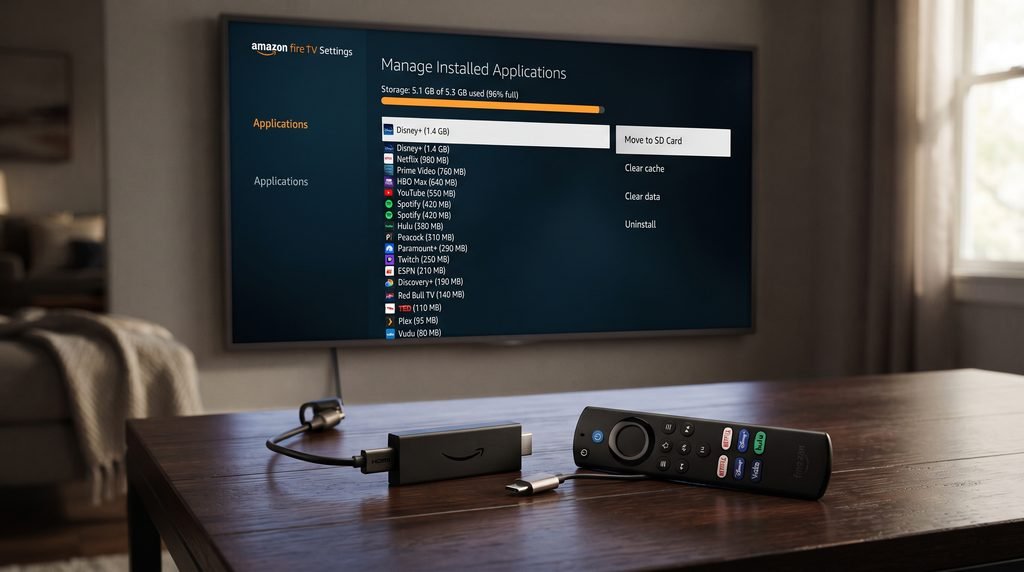
Low storage is one of the most common reasons a Firestick becomes unstable. Apps need room for updates, temporary files, guide data, and cache. When almost all internal storage is occupied, menus can lag, applications can crash, and updates may fail. For xtreme hd iptv on firestick, the result may look like slow startup, freezing during navigation, or a player that behaves differently from one day to the next.
Remove apps you genuinely do not use before deleting the IPTV player. Old games, duplicate streaming applications, and utilities can consume valuable space without adding anything to your daily setup. This is safer than uninstalling the player first because it improves the overall device while preserving the account configuration. If freeing storage makes xtreme hd iptv on firestick and the Fire TV interface noticeably faster, the device was probably running too close to its limit.
Clear Cache Before You Clear App Data
Cache files are temporary and can occasionally become corrupted or grow larger than expected. Clearing the IPTV app cache is a reasonable step when the app suddenly opens slowly, freezes in menus, or starts behaving inconsistently. Clearing cache is much less destructive than clearing data. If xtreme hd iptv on firestick improves after the cache is cleared, stop there and keep the rest of your settings intact.
“Clear Data” or “Clear Storage” is different because it can remove logins, playlists, favorites, player settings, and other local information. Use it only when you have saved everything needed to configure the app again and simpler tests have failed. Losing a working account setup because of a routine buffering problem creates more work than it solves.
Treat the Network as a Separate Layer
A Firestick can report a decent internet connection while still receiving unstable Wi-Fi behind the television. Walls, distance, nearby electronics, and the TV itself can weaken or interfere with the signal. Xtreme hd iptv on firestick depends on consistent data delivery, so brief drops can matter even when a speed test shows a respectable peak number. Test the connection on or very near the Firestick rather than assuming a fast phone across the room proves the TV setup is fine.
Small Placement Changes Can Matter
If the router is hidden behind furniture or located far from the television, move it into a more open position when practical. If the Firestick came with an HDMI extender, using it can move the device slightly away from the back of the TV and sometimes improve wireless reception. These changes are simple, reversible, and worth testing before assuming xtreme hd iptv on firestick needs a different player or subscription.
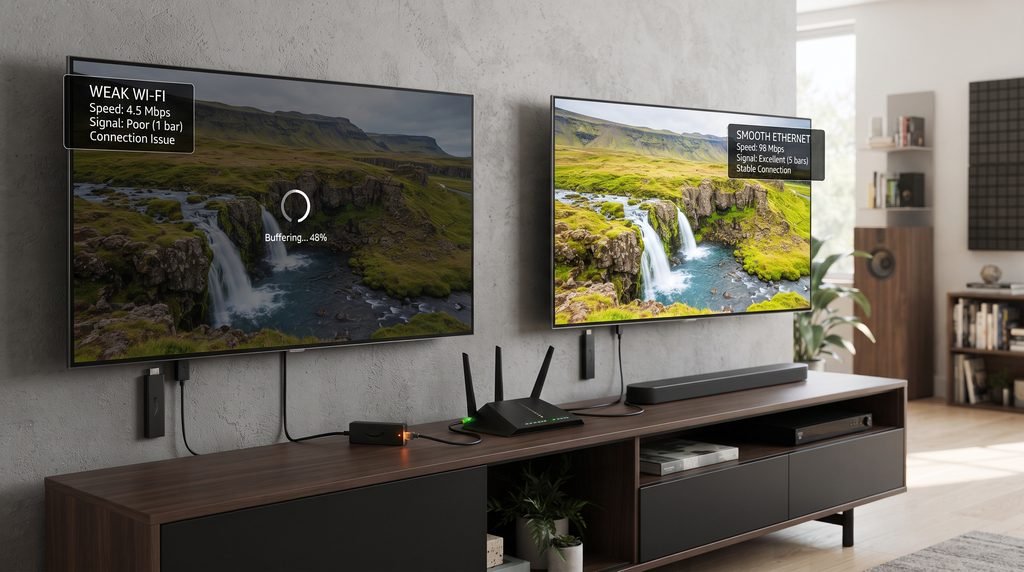
Use Ethernet as a Diagnostic Tool
Compatible Ethernet adapters can connect certain Fire TV devices directly to a router. Ethernet is useful because it removes Wi-Fi interference from the test. If xtreme hd iptv on firestick stops buffering when the connection is wired, you have strong evidence that the wireless path is the bottleneck. Ethernet is not always faster in raw Mbps because some adapters have speed limits, but a stable wired connection can outperform faster Wi-Fi that regularly fluctuates.
Check What the Rest of the House Is Doing
Large downloads, cloud backups, several 4K streams, gaming updates, and video calls can all compete for bandwidth. If xtreme hd iptv on firestick is smooth in the morning but struggles every evening, household network load may be part of the pattern. Test the same channel at different times before changing software. A time-based pattern often tells you more than another reinstall.
The Player Can Be the Bottleneck Even When the Firestick Is Fine
IPTV players can offer different decoding modes, buffer settings, external-player options, refresh behavior, and guide controls. On weaker Fire TV hardware, those settings can affect responsiveness and playback. If the Firestick home screen is fast but xtreme hd iptv on firestick struggles only inside one player, investigate the player before rebuilding the entire device.
Hardware vs Software Decoding
Hardware decoding generally uses dedicated video hardware in the Firestick, while software decoding places more work on the main processor. Many modern devices perform better with appropriate hardware decoding, but player compatibility can vary. Change only one playback option at a time and test the same content for several minutes. If xtreme hd iptv on firestick becomes worse, return to the previous setting rather than stacking another change on top.
Update the Player From a Source You Trust
An old player can develop compatibility problems after Fire TV updates or service-side changes. If a legitimate newer version is available, update it and retest before doing anything more drastic. Avoid random “buffer-free” or modified APK files from unfamiliar sites. If you need a device-oriented installation reference, the Apollo Group TV installation guide provides an example of structured setup information. The purpose here is to preserve a stable xtreme hd iptv on firestick setup rather than introduce unknown software while troubleshooting. A stable xtreme hd iptv on firestick configuration is more valuable than chasing every unofficial optimization claim.
When Only Certain Channels Buffer, Stop Blaming the Whole Setup
One of the most useful tests is to open several unrelated channels. If xtreme hd iptv on firestick plays news, entertainment, and international channels smoothly but one sports channel repeatedly buffers, the Firestick and internet connection have already shown that they can stream content. The problem may be isolated to that source rather than the entire subscription or device.
Do not redesign your network because one channel has a bad hour. Compare three or four channels from different categories and repeat the test later. If most of the service works normally, a targeted stream problem is more likely. That distinction matters because xtreme hd iptv on firestick should not be rebuilt around one temporarily weak channel. If nearly every channel fails at the same time, then the network, player, account, routing, or service connection deserves broader investigation. This comparison makes xtreme hd iptv on firestick troubleshooting much more precise.
Use a Channel Lineup to Test Different Categories
If you want a separate lineup for comparison while deciding whether another service fits your needs, you can review this streaming channel lineup. The important part is not to assume that switching providers is automatically the answer. First determine whether the weakness is specific to xtreme hd iptv on firestick, the Firestick itself, your home network, or a limited set of streams.
Use VPN Testing to Learn About Routing, Not as a Magic Fix
A VPN changes the route traffic takes across the internet. In some situations that can improve a problematic path; in others it adds latency and reduces speed. Test xtreme hd iptv on firestick on the normal connection first, then compare one nearby VPN server while keeping the same channel, device, and time as similar as possible. A controlled comparison can tell you whether routing may be involved.
Avoid jumping between ten VPN countries because that changes too many variables. If one nearby VPN server clearly improves the same problem, routing may deserve more attention. If the VPN makes xtreme hd iptv on firestick slower, disable it and continue troubleshooting elsewhere. The purpose of the test is information, not simply leaving another app running in the background. For xtreme hd iptv on firestick, the best network test is one that changes only a single variable.
EPG Problems and Login Problems Need Different Fixes
Not every failure inside an IPTV player is a video-streaming problem. If channels play but the program guide is empty, the issue is likely connected to EPG data rather than playback. If the application opens but refuses your credentials, the problem may involve the account rather than Firestick performance. Treating both situations as “buffering” leads to unnecessary changes to xtreme hd iptv on firestick.
When the EPG Is Blank or Shows the Wrong Time
Refresh the EPG inside the player or close and reopen the application. If programs appear at the wrong time, check the Fire TV timezone, date, and automatic time settings. Guide data and video delivery are often separate, which means xtreme hd iptv on firestick can continue playing channels even when the program guide is incomplete or temporarily unavailable.
If favorites disappear after an app reset or player update, the cause may also be local. Some players store favorites only on the device. Use any backup, export, or restore feature the player provides before clearing app data or reinstalling. Keeping a focused favorites list also makes the lineup easier to rebuild if local settings are ever lost.
When the App Opens but the Login Fails
Verify the username, password, server address, or playlist information exactly as provided. Extra spaces and small typing errors can prevent authentication. An expired or inactive account can also make xtreme hd iptv on firestick look broken even when the player and Firestick are functioning normally. Before reinstalling, confirm the subscription status and account details.
If you are comparing alternatives after confirming that the account itself is the problem, the Apollo Group TV pricing page can serve as one reference point for another subscription option. Compare current pricing, device support, features, and service terms rather than switching only because one login attempt failed.
Why Live Sports Can Expose Problems That Normal Viewing Hides
Major sporting events concentrate a large number of viewers on the same channels at the same time. A stream that performs normally during everyday programming can behave differently during a championship match or another high-demand event. Sports users running xtreme hd iptv on firestick should check their device and connection before kickoff rather than beginning maintenance once the event has already started.
Add important sports channels to favorites ahead of time, test a few alternatives, and make sure the Firestick has been restarted recently. If you depend on an event start time, verify it through an official broadcaster, league, or competition schedule rather than treating the EPG as the final authority. Guide information can be delayed or mismatched even when xtreme hd iptv on firestick playback is working correctly. That is another reason to judge xtreme hd iptv on firestick playback and EPG accuracy separately.
Know When the Firestick Has Become the Limitation
Software optimization has a limit. If an old Firestick remains slow after storage cleanup, restarts, system updates, cache management, and network testing, the hardware itself may simply be struggling. This becomes especially likely when several unrelated apps are also slow. In that situation, endlessly tweaking xtreme hd iptv on firestick may produce smaller gains than moving the setup to newer hardware.
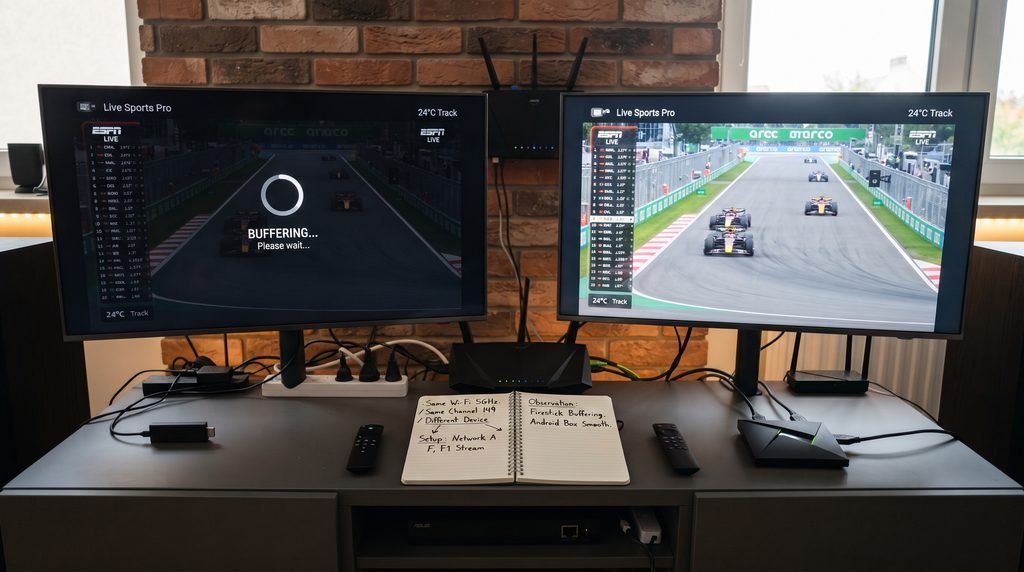
The strongest comparison is another compatible device on the same home network and, where permitted, the same authorized account. If the same stream plays smoothly there while xtreme hd iptv on firestick continues freezing, the original Firestick, player configuration, or wireless reception becomes a much stronger suspect. If both devices behave the same way, investigate the network, account, routing, or streams before buying new hardware.
Xtreme HD IPTV on Firestick Symptom-to-Action Table
Use this table when you need a fast reminder of what to test next. The most useful next action is the one that separates two possible causes without erasing your setup.
Symptom
What to Test
What the Result Tells You
Slow Fire TV menus
Restart and free storage
Improvement points toward device load
Buffering in several apps
Check Wi-Fi or Ethernet
Likely network-side issue
Only IPTV app freezes
Force stop, clear cache, reopen
Player/app state may be involved
One channel buffers
Test unrelated channels
Likely individual stream issue
Wired connection is better
Compare Wi-Fi placement
Wireless stability is likely limiting performance
VPN helps
Repeat one controlled VPN test
Internet routing may matter
Another device works
Focus on Firestick/app configuration
Original device is a stronger suspect
EPG is empty but video works
Refresh EPG and check time settings
Guide data issue, not stream failure
Credentials fail
Verify account and subscription
Authentication issue rather than device speed
When you use the table, resist the temptation to jump to the most dramatic fix. A factory reset, full reinstall, or subscription change should come after simpler tests have shown that the problem is not storage, Wi-Fi, app state, or one individual stream. That keeps xtreme hd iptv on firestick troubleshooting controlled and reversible. It also makes future xtreme hd iptv on firestick problems easier to isolate.
Common Mistakes That Make Firestick Performance Worse
The biggest mistake is treating optimization as a competition to change as many settings as possible. Fire TV already provides basic storage, app, network, and update controls. Installing several “cleaner” or “booster” apps can consume additional storage and memory instead of helping. A lean setup is often better for xtreme hd iptv on firestick than adding more background utilities.
Constant reinstalling: it can erase useful settings without fixing Wi-Fi or stream problems.
Changing DNS, VPN, and player settings together: you lose the ability to identify what actually affected performance.
Testing only one channel: one broken stream is not proof that the whole setup has failed.
Ignoring storage: a nearly full Firestick can make every app unstable.
Clearing app data too early: this may delete credentials, playlists, favorites, and local settings.
Keeping failing hardware forever: old Fire TV hardware eventually becomes the bottleneck.
Switching services should also come after diagnosis, not before it. If xtreme hd iptv on firestick remains unreliable on several devices, across more than one network condition, after the player and account have been checked, comparing another provider becomes more reasonable. Switching because of one bad channel or one congested evening can leave the original network or hardware problem untouched.
Frequently Asked Questions
Why is Xtreme HD IPTV on Firestick slow?
Slow performance can come from limited storage, temporary memory problems, weak Wi-Fi, an outdated player, older Fire TV hardware, VPN routing, or individual streams. If the whole Firestick is slow, start with the device. If xtreme hd iptv on firestick is the only app struggling, focus more closely on the player, account, routing, and stream behavior.
Why do only some channels buffer?
Individual streams can experience their own availability, load, or quality problems. If most channels work normally and only a few buffer, the problem may be limited to those streams. Test several unrelated channels before changing your Firestick or network.
When should I upgrade my Firestick?
Consider an upgrade when the entire Fire TV device remains consistently slow after restarts, storage cleanup, updates, and network checks. If newer or more capable hardware runs the same type of streaming workload smoothly, the old device may simply have reached its practical limit.
Is an EPG problem the same as a channel problem?
No. Program-guide data and video playback can fail independently. If channels still play but the guide is empty or shifted, refresh the EPG and check Fire TV time settings before troubleshooting the streams themselves. Xtreme hd iptv on firestick can be fully capable of playing video while its guide data is temporarily wrong.
Final Verdict: Fix the Layer That Is Actually Failing
Improving xtreme hd iptv on firestick is mostly a process of separating device problems from network, player, account, and stream problems. Start with what is easiest to prove. Check whether the Firestick itself is slow, restart it, free unnecessary storage, compare other apps, test Wi-Fi against Ethernet when possible, and see whether the problem affects one channel or the entire lineup. Those tests provide more useful information than repeatedly reinstalling the same application.
Once the device and connection look healthy, move into the player, account, EPG, and routing layers one at a time. Update trusted software, clear cache before data, verify login information, and compare VPN performance only as a controlled test. If xtreme hd iptv on firestick remains unreliable after the same problem appears across multiple devices and network conditions, then a broader service or subscription comparison becomes more reasonable. The important thing is to reach that conclusion through evidence rather than guessing.